One rich-text editor for iOS, Android and the web.
It draws the same lines on iPhone, Android, Mac, Chrome, Safari and Firefox, and feels native on each.
For notes, whiteboards, canvases and annotation apps.
The words move. The marks don’t.
Someone circles “Friday” on a shared tldraw board in Chrome. A teammate opens the same board in Safari. Safari breaks the lines differently, so the words move and the circle now marks “Monday”. With PandaText, every browser draws the same lines, so the circle stays on “Friday”.
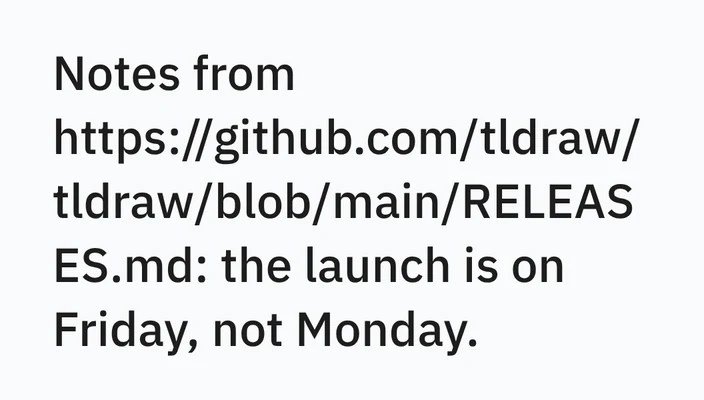
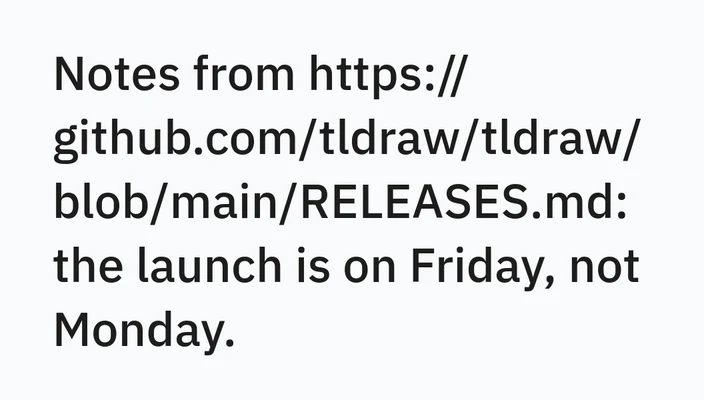
Real screenshots of one tldraw board in Chromium and WebKit: same note, same font, same width.
Identical layout
The same font and CSS lay out differently across platforms and browsers. With PandaText, the same text ends every line on the same word on iPhone, Android, macOS, Chrome, Safari and Firefox, within a pixel.
A rich-text editor, native on each platform
Bold, italic, underline, size, color, lists, undo and redo, with the platform's own keyboard, IME and accessibility.
International text
Arabic and English in one line, and Chinese and Japanese without spaces, break and select the same way on every platform.
Built for big documents
In long documents, PandaText lays out paragraphs as they scroll into view, so opening a file does not wait for the whole text. The text on screen stays still while the rest is laid out.
How one layout reaches every platform
Measure once
Line breaks, line heights and caret rectangles come from one layout, so they travel with the document.
Draw on the platform
iOS, macOS, Android and the web each paint those same lines, so nothing is laid out twice.
Leave input alone
Scrolling, the keyboard, gestures, selection, the IME and accessibility stay with the platform that already has them.
The complete works of Shakespeare in PandaText on iPhone, Android, macOS AppKit, Chrome, Safari and Firefox, laid out the same on each. One contents row mixes Polish and Arabic.
What the code looks like
Load your fonts once, create a view, set the text. The view brings the platform’s own keyboard, selection and scrolling.
iOS and macOS
import PandaTextView

let fonts = try PandaTextFontCollection(fontFamilies: [
    [.bundledTTF("NotoSans-Regular"), .bundledTTF("NotoSans-Bold")],
])
let textView = PandaTextView(frame: .zero, fontCollection: fonts, pixelSize: 17)
textView.string = "Hello PandaText"
Android
val font = Font(fontBytes)
val family = FontFamily(listOf(font))
val collection = FontCollection(listOf(family))

val textView = PandaTextView(context)
textView.fontCollection = collection
textView.text = "Hello PandaText"
Web
import { createPandaText } from "@pandatext/core";
import { PandaTextView } from "@pandatext/textview";
import "@pandatext/textview/PandaTextView.css";

const textEngine = await createPandaText();
const font = textEngine.createFontFromBytes(fontBytes);
const fontCollection = textEngine.createCollectionFromFonts([font]);

const textView = new PandaTextView({ textEngine, fontCollection, text: "Hello PandaText" });
textView.mount(document.querySelector("#editor"));
React Native
import { PandaTextView } from "@pandatext/react-native";

<PandaTextView
  style={{ flex: 1 }}
  fonts={[["NotoSans-Regular"]]}
  text="Hello PandaText"
/>
Guides on text layout
Notes on the wrap, measurement and international-text problems PandaText is built for.
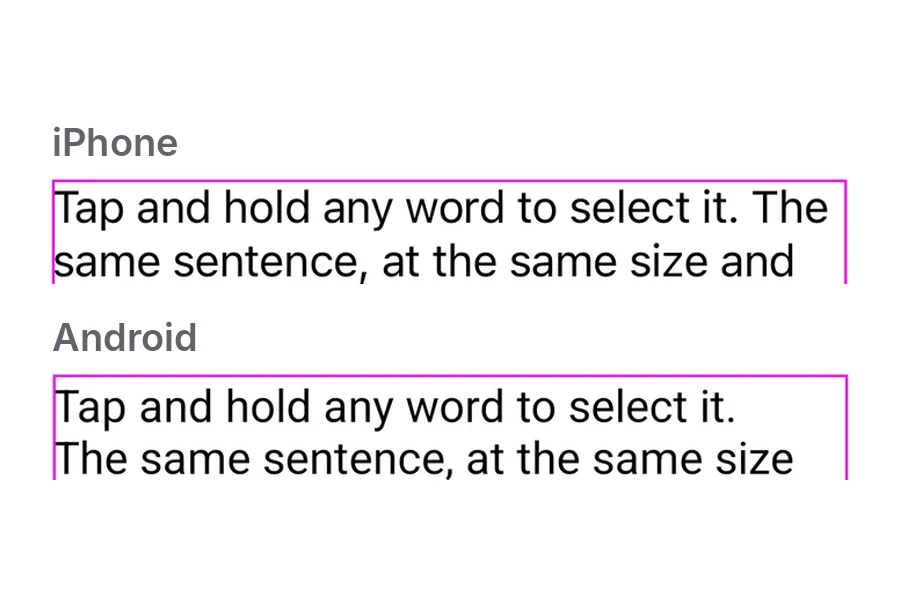
Why the same text wraps differently on iOS and Android
One sentence on an iPhone and an Android phone, same size and width. The system font, emoji and line height each changed the result.
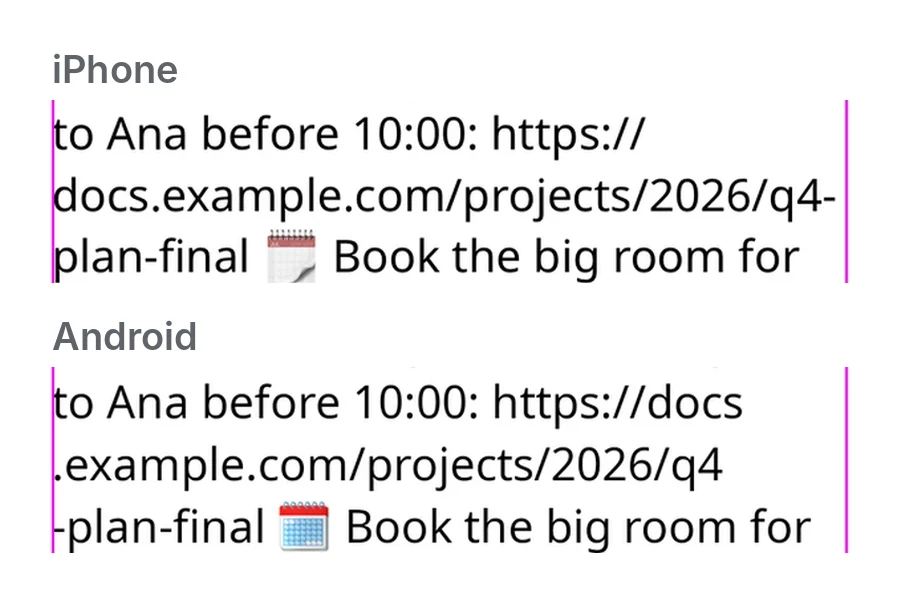
How to keep the same line breaks on iOS, Android and the web
One note with one font file broke four ways on iPhone, Android, Chrome, Safari and Firefox. What a shared engine has to own to fix that.
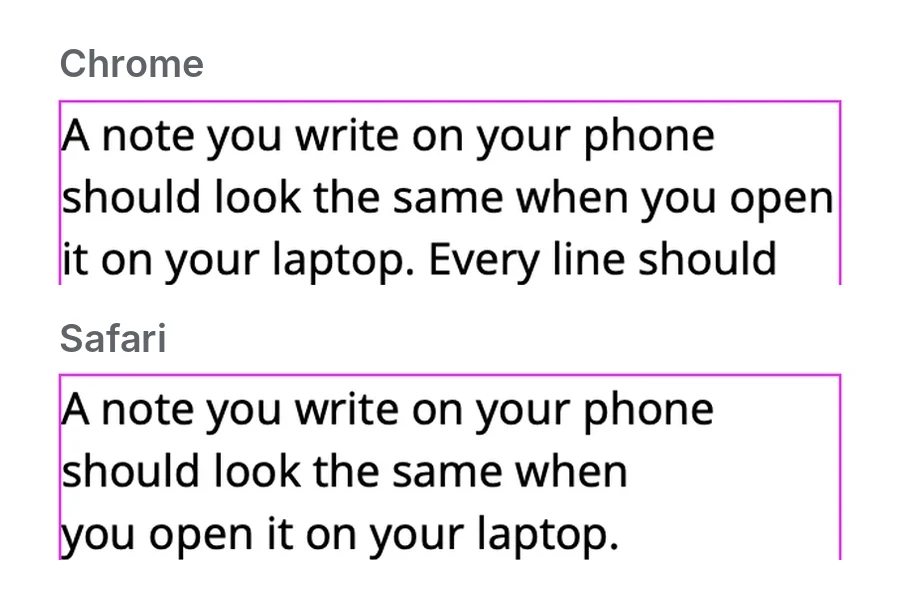
Why the same paragraph wraps differently in Chrome, Safari and Firefox
The same text in Chrome, Safari and Firefox on one Mac. text-wrap: pretty, emoji and long URLs each produced different line breaks.
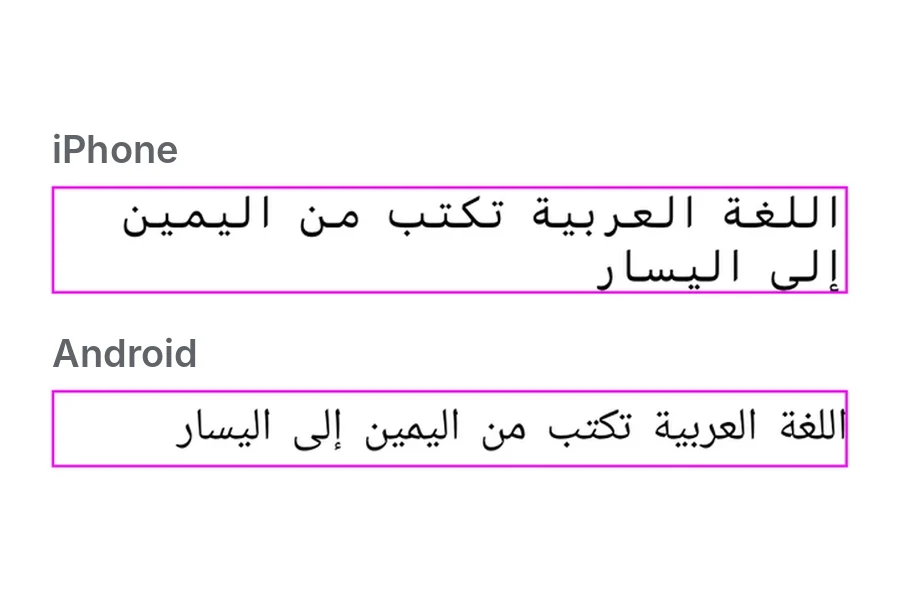
How Arabic and English share one line
Arabic and English on one line, on iPhone, Android, Chrome, Safari and Firefox. Same order and breaks, but different fonts, heights and spacing.
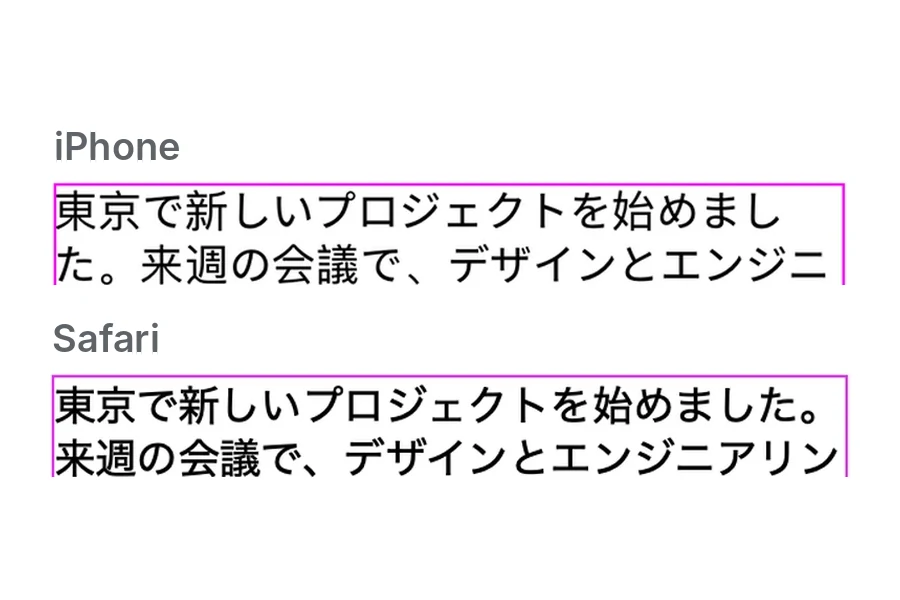
Why Chinese and Japanese text breaks differently on each platform
One Japanese paragraph broke three ways on iPhone, Android, Chrome, Safari and Firefox. Width, line fit and the language tag make the difference.
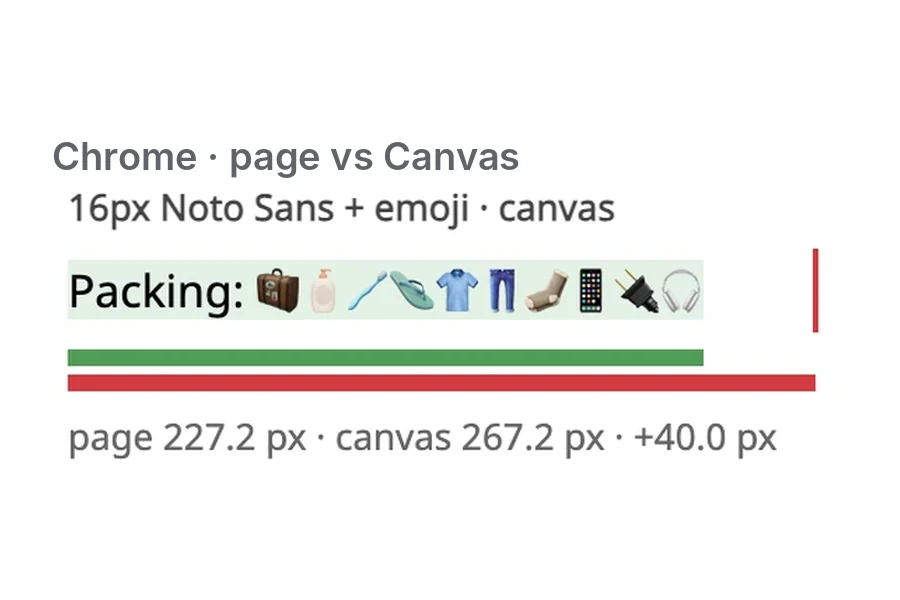
How to measure text the same way on every platform
Canvas measureText() was off from the page by up to 50 px in Chrome and Firefox. Why one engine should return the width, line breaks and carets.
Questions
How is PandaText licensed?
Development and testing are free and need no key. To ship, you add a license key: a free 100-day trial without a watermark, a free hobby key for non-commercial projects (it shows a small watermark), or a commercial key, annual or perpetual. Early-access teams get design-partner pricing.
Which platforms and versions does it support?
iOS 18 and later, macOS 15 and later (AppKit), Android 8 (API 26) and later, and Chrome, Safari and Firefox. A React Native component (React Native 0.82 and later, Expo development builds) is in private beta. Flutter is a read-only preview.
How much does it add to a web page?
The web engine is about 0.64 MB with Brotli compression. Word dictionaries for Chinese, Japanese and Thai load only when that text appears.
Can I use my own fonts?
Yes. You load your font files once, and every text view uses them. Ship the same font files on every platform, and the lines end on the same words everywhere.
Does it work with tldraw?
Yes. The @pandatext/tldraw package adds a PandaText text shape to a tldraw canvas, so a note lays out the same in every browser.
Why does the same text wrap differently on each platform?
Each platform and browser has its own text engine, system font, emoji font and line-height rules. With the same font file and CSS, Chrome, Safari and Firefox broke one paragraph differently in four of six tests, and an iPhone and an Android phone moved words to other lines. The guides show each case.